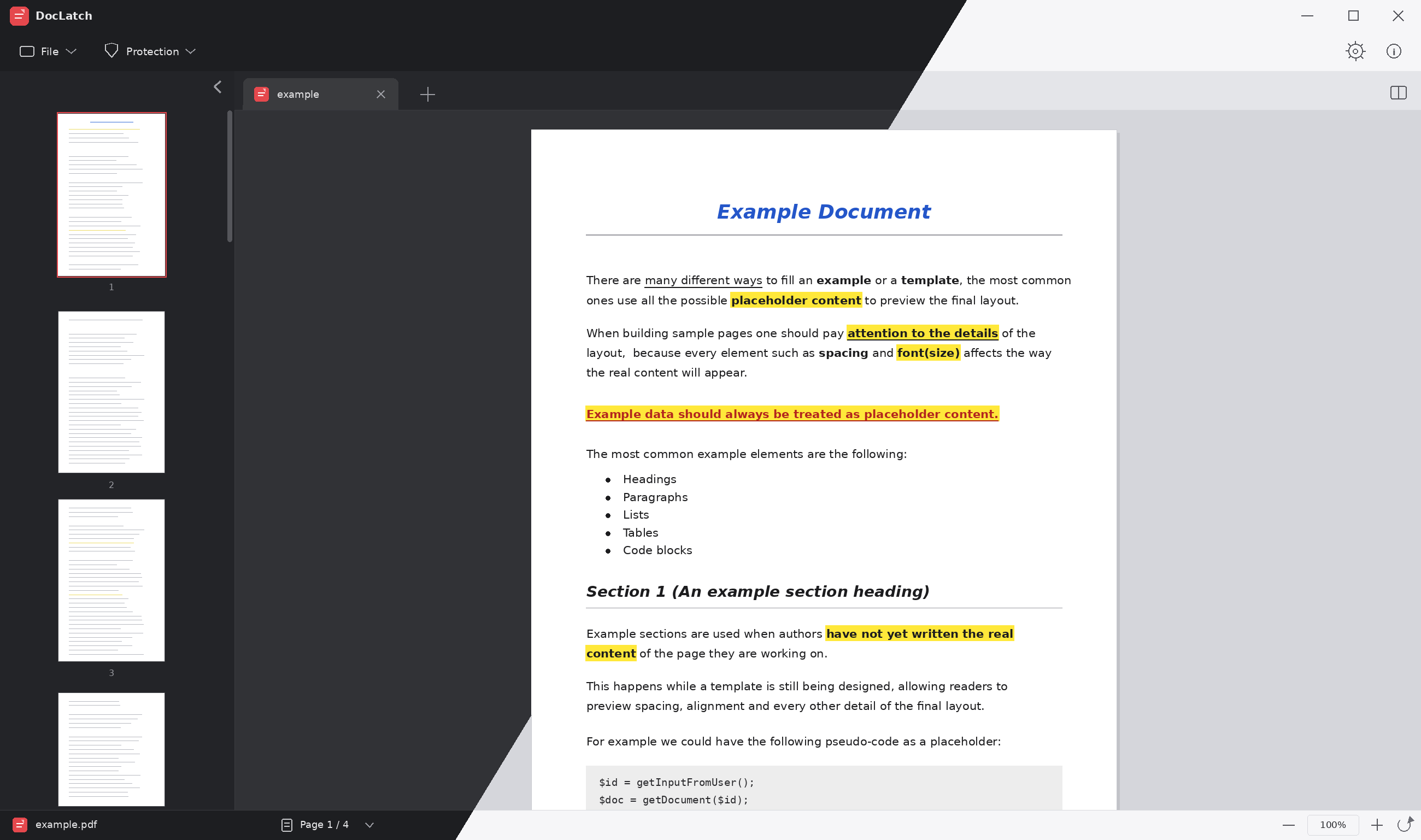
Multi-document tabs
Open several PDFs at once in separate tabs, each keeping its own current page, zoom level and password.
PDF READER AND BASIC EDITOR
DocLatch is a lightweight PDF viewer for Windows and Linux. Open several documents in tabs, compare them side by side in split view, and add or remove AES-256 password protection. Everything runs locally, with no internet connection and no data collection.
Download
What you can do
Open several PDFs at once in separate tabs, each keeping its own current page, zoom level and password.
Show two open documents side by side in the same window to compare them directly, without switching tabs.
Add or remove AES-256 encryption from your documents in a couple of clicks, right from the Protection menu. The original file is never modified.
Navigate pages with per-tab zoom, controllable from the header bar, the status bar, or with Ctrl +/-/0 on the keyboard and the mouse wheel.
Quickly find recently opened files from the home screen, and remove them from the list whenever you no longer need them.
DocLatch requires no internet connection for any feature: opening, zooming, navigating and password-protecting documents all happen locally, with no data sent anywhere.
Switch between light and dark themes at any time from the settings. Three interface text sizes are also available.
Available in Italian, English, French and German, with the language switchable from the settings.
Compatibility
DocLatch currently handles PDF files only. Exporting to other formats is on the project's future roadmap.
Privacy & security
DocLatch never uploads your files to any server, never sends usage data, never collects statistics, and requires no internet connection for any feature. Opening, browsing, zooming and password-protecting documents all happen entirely on your own machine.
The Windows installer isn't signed with a paid certificate yet, so it's normal for SmartScreen to show a warning on first launch. You can proceed by choosing "More info" and then "Run anyway".